
Mela 7.3 Update: Reuse Presets as Modules, Note Pulse & Note Event Improvements
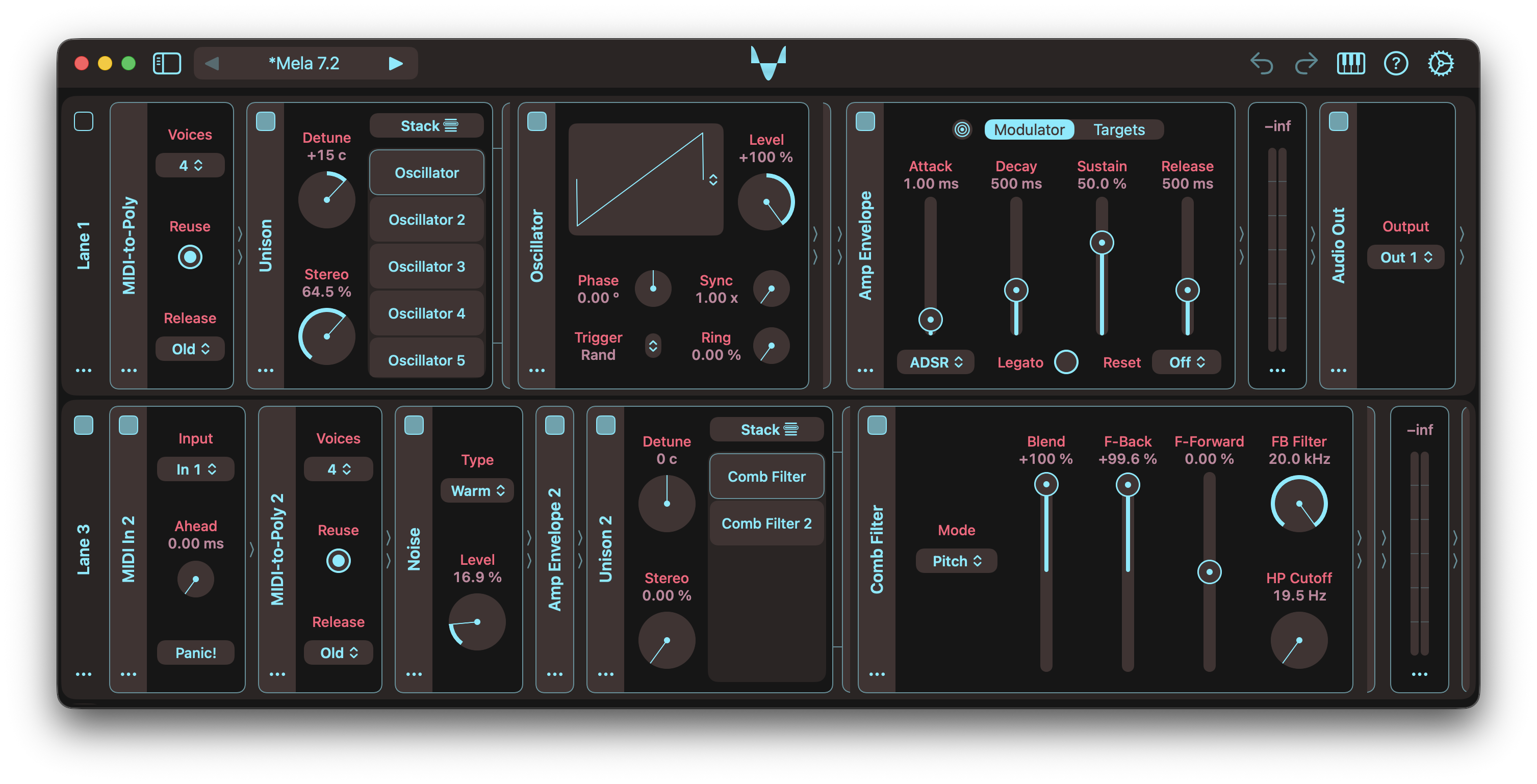
Mela 7.3 makes presets much more reusable. Presets can now be inserted as modules, making it easy to move structures between presets or build larger setups from existing designs. This turns presets into reusable building blocks that can live inside other presets, while preserving their full nested structure, parameter values, and modulation routing.
You can drag any module out of Mela to export it as a standalone preset, drag presets in from Finder or Files to insert them as modules, drag modules between Mela instances, and drop presets or modules onto the User or custom preset groups to save them there.
When a preset is inserted as a module, global settings such as Ahead and polyphony are not imported. Audio and MIDI bus assignments are preserved, so imported presets that use the same buses as the current preset may need a quick routing check.
Version 7.3 also makes Note Pulse and Note Event better building blocks for step sequencers and note generators. Note Pulse now stops generating new pulses when Velocity is 0, while Note Event adds a new Vel 0 parameter with Skip and Off modes, renames Event to Gate, and brings back the On parameter.
For the full details, check out the Changelog.
Latest Tutorials
Note Pulse Module: MIDI Pattern Generation
This video showcases Note Pulse in Mela 7.3, including improvements to the Velocity parameter that make it more powerful for generating MIDI note patterns through modulation.
Sequence Notes with Mela’s Note Event Module
This video demonstrates the new Note Event features introduced in Mela 7.3. Velocity now supports the value 0, and with Vel 0 set to Off, changing velocity from a non-zero value to 0 generates a note-off event. This makes the module more powerful for sequencing notes by modulating its parameters.
Mela 7.3: Reuse Presets as Modules
Presets can be reused as modules in Mela, making it easy to move structures between presets or build complex setups from existing designs. This allows presets to act as reusable building blocks within other presets.
Mela’s CC Modulator, AUv3 Dynamic Parameter Trees, Automation
In this video, I explain what parameter trees are and how some DAWs are unaware that an AUv3 plug-in can have dynamic parameters. I use Logic Pro as an example, which has some unusual behaviour when it comes to parameter automation, and show how to work around it. Most importantly, I demonstrate how the CC Modulator can help in these scenarios.
Mela 7.3 Changelog
Reusing Presets as Modules
- Presets can now be reused as modules, making it easy to move structures between presets or build complex setups from existing designs.
- This allows presets to act as reusable building blocks within larger signal chains.
- Any module can be dragged out of Mela to export it as a standalone preset.
- Dragging a preset from Finder or Files into Mela inserts it as a module.
- Modules can also be dragged between Mela instances to insert a copy.
- In all cases, the full nested structure, parameter values, and modulation routing are preserved.
- Presets in the browser now include a drag handle.
- Drag a preset to Finder or Files to export it, or back into Mela to insert it as a module.
- Presets or modules can also be dropped onto the User or custom preset groups to save them there.
- When inserting a preset as a module, global parameters such as Ahead and polyphony settings are not imported.
- Be mindful of Audio and MIDI bus usage, as imported presets may use the same buses as the current preset, which could lead to unexpected routing behaviour.
Note Pulse & Note Event
- It is now easier to turn Note Pulse and Note Event into step sequencers or note generators by modulating their Velocity parameters.
- Note Pulse: When Velocity is set to 0, new pulses are not generated.
- Note Event: Added the Vel 0 parameter with Skip and Off modes.
- Skip prevents note-on generation at velocity 0, while Off also releases a held note.
- The Event parameter has been renamed to Gate, as it is more fitting.
- Note Event: Added the On parameter back. It is useful when note generation is triggered by modulation, allowing it to be turned off.
I release updates regularly, guided by user feedback and Mela’s long-term vision. Along with the User Guide, you might find the Tutorials, Changelog, and FAQ helpful. For bug reports or feature requests, visit Mela Feedback. Feel free to get in touch anytime.
Grab Mela from the App Store.