
Mela 7.6: Cut, Copy and Paste for Modules and Presets
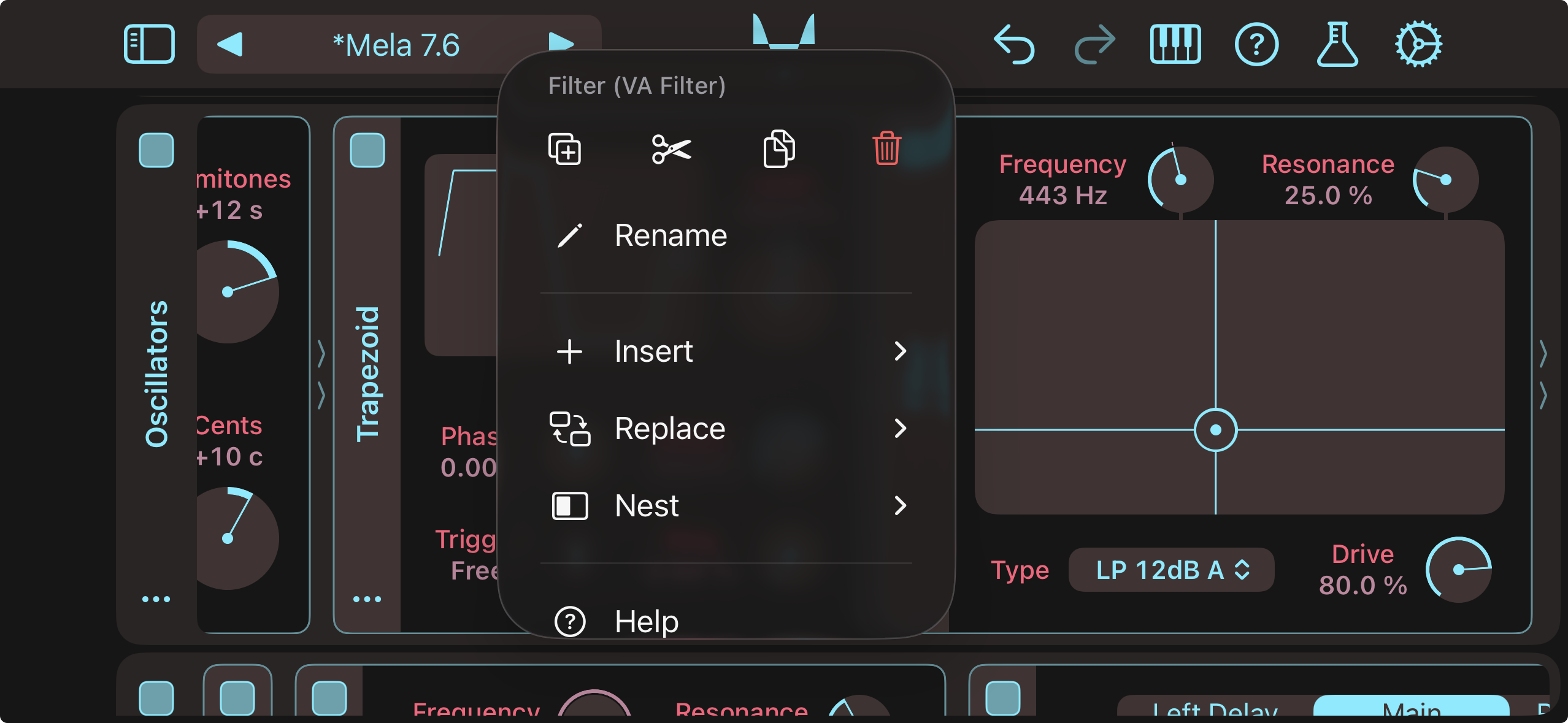
Mela 7.6 refreshes lane and module action menus with simplified terminology and improved grouping. It also introduces Cut, Copy, and Paste functionality as an alternative to module drag-and-drop and preset import/export workflows.
Modules and presets can now move more freely between contexts. Copied modules can be pasted into another instance of Mela, as files in Finder or Files, or as text in a text editor. Presets from Finder or Files can be pasted directly into Mela as modules. Advanced users can edit preset text, such as adjusting parameter values, and paste it back into Mela.
For the full details, check out the Changelog.
Latest Tutorial
Mela 7.6: Cut Module, Paste Preset
This video highlights the new Cut, Copy, and Paste functionality as an alternative to module drag-and-drop and preset import/export workflows. It demonstrates how a copied module can be pasted as a file in Finder or as text in a text editor, then modified and pasted back into Mela as a module. It also shows how LLMs can be used in the process to modify module parameters and settings.
Mela 7.6 Changelog
Action Menus
- Lane and module action menus have been reworked, with simplified terminology and improved grouping of related items.
- As an alternative to drag-and-drop, action menus now provide Cut, Copy, and Paste actions.
- A module can be inserted, appended, or used to replace another via the Paste action.
- A copied module can be pasted into another instance of Mela, as a file in Finder or Files, or as text in a text editor.
- A preset copied from Finder or Files can be pasted as a module into an instance of Mela.
- Presets can be edited in a text editor, for example by changing parameter values, then pasted back as modules, as long as the format remains intact.
- The Duplicate action now behaves like Copy and Paste, also duplicating external modulations and remotes.
Other Changes
- Velocity Module: Now uses a more compact layout.
- Remotes: If more than 2 controls are assigned, smaller controls are used in the remotes view to keep the module compact.
- Remotes: Renaming a remote control to an empty string now resets it to the parameter name.
- Preset Format: JSON keys are now ordered alphabetically, making them easier to edit in text editors.
- Updated the “Bouncing Ball” MIDI FX factory preset by simplifying its design using new modules.
Grab Mela from the App Store.