
Mela 7.11: Build Flexible Effects with Splitter
Mela 7.11 introduces Splitter, a new Mela Lab module for building flexible signal-processing chains. It works like a Stack, but submodules at alternating positions act as splitters: each one processes the incoming audio, passes its output to the following submodule, and sends the remaining signal to the next splitter. The final output combines all processed signals with any residual left at the end.
This design makes it easy to build multiband processors with filters, process left/right or mid/side signals independently, crossfade between processing chains, or separate transient and sustain processing with an Envelope Follower. The update also adds a Free mode to Arpeggiator, improves the Stack and Unison interfaces and signal flow, refreshes Chorus, Flanger, and Phaser, and includes several patch and workflow refinements.
For the full details, check out the Changelog.
Latest Tutorial
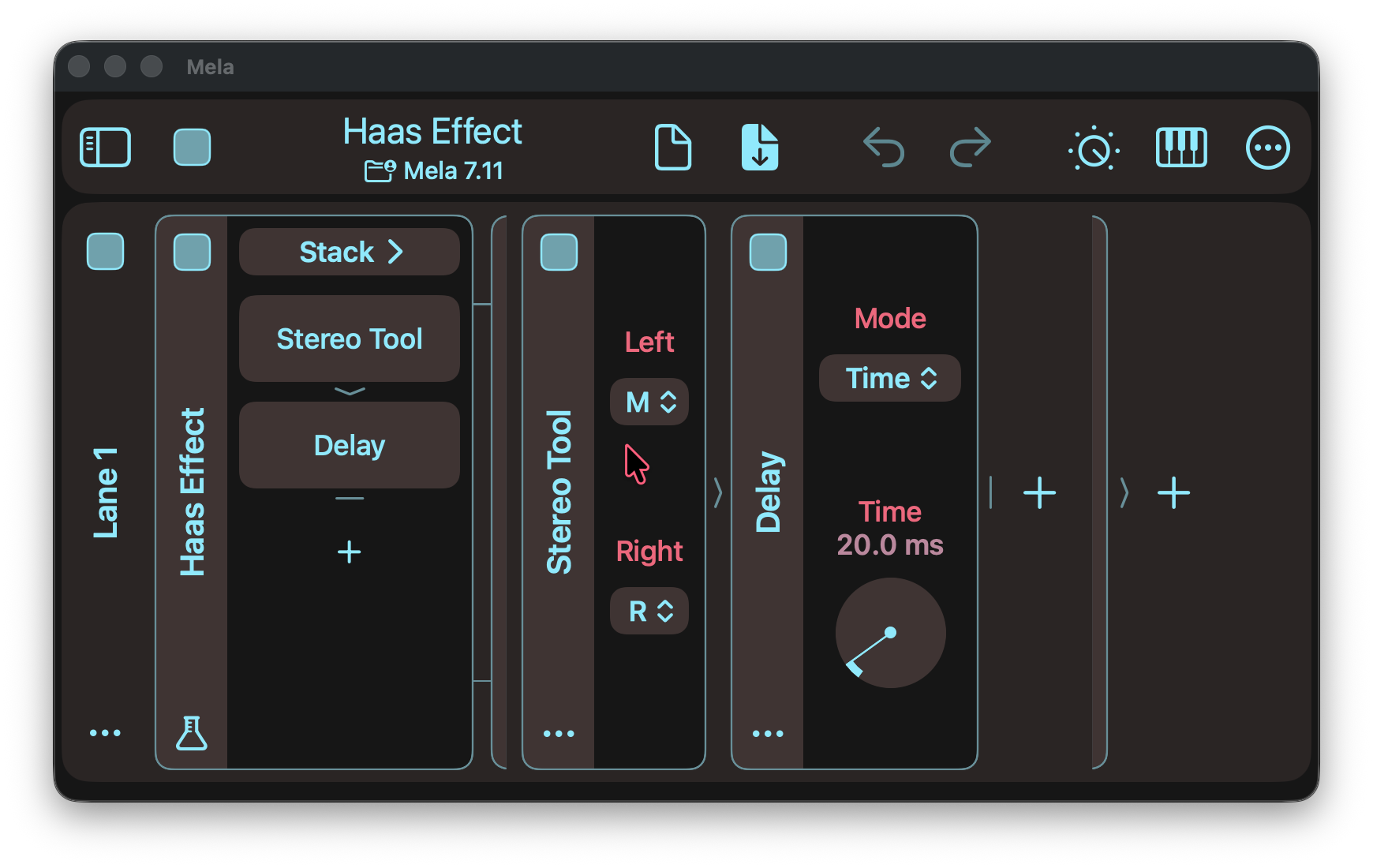
This tutorial demonstrates three ways to use Splitter: building a two-band processor, creating the Haas effect by independently delaying the left channel, and separating transient and sustain processing by using an Envelope Follower to modulate a Level module.
Mela 7.11 Changelog
Splitter
- The Splitter module works like a Stack, but the submodules at odd positions, starting with the first, act as audio splitters.
- A splitter processes its input and passes its output to the following submodule.
- Subtracting that output from the original input leaves a residual, which is passed to the next splitter and processed in the same way.
- The module’s output is the sum of all processed signals and any residual remaining at the end.
- The Splitter module can create many types of effects.
- Using filters at odd positions creates a multi-band processor.
- Stereo Tool or Mid-Side modules enable independent left/right or mid/side processing.
- A Level module can act as a crossfader between two processing chains.
- Modulating the Level module with an Envelope Follower makes it possible to process transients and sustain independently.
- Added Splitter as an option to the Nest submenu.
- Factory Patches: Added a “Haas Effect” subpatch demonstrating how easily the effect can be created using the Splitter, Stereo Tool, and Delay modules.
- Splitter is a Mela Lab module and part of Collection 4.
Other Changes
- Arpeggiator: Modelled after Mod Steps, the Sync parameter now includes a Free mode, letting you instantly play and hold the note selected by Position, ignoring Mode, Gate, Offset, and Retrigger.
- Arpeggiator: Smoothed the animation when switching to and from Manual mode.
- Unison and Stack: Improved interfaces with stack item selectors now also showing signal flow indicators and the add module button, allowing modules to be quickly appended to the stack.
- Unison and Stack: Modulators, Audio Out, and MIDI Out now respect the On parameter of their containing Stack or Unison module.
- Frequency Shifter: The Mix parameter now defaults to 100%.
- Chorus, Flanger, Phaser: Updated their layouts to match newer modules, improving their appearance and making them more compact.
- Nest Submenu: Added Digital Delay as an option to quickly insert the selected module inside a Digital Delay’s sublane.
- Level Meter: Now correctly displays an empty meter and -inf before the host starts processing audio.
- Patches: Empty Untitled and restored patches no longer show a discard confirmation when selecting another patch.
- Patches: Saving a factory patch now asks for confirmation before overwriting a patch with the same name in the destination folder.
- Modules: Dropping a module back into its original position no longer creates an undo action.
Grab Mela from the App Store.